Open for LMS operators
Test the universal
Open edX app
with your LMS
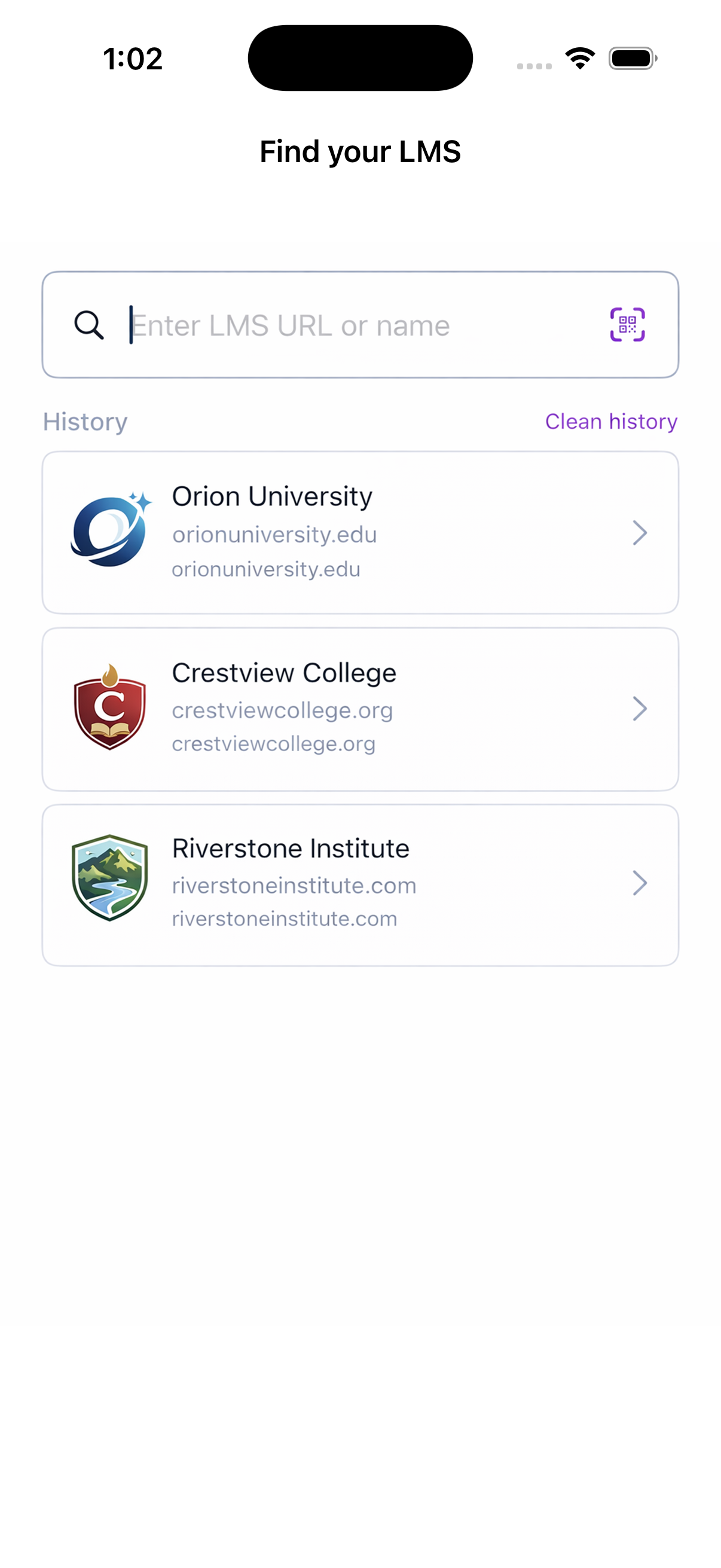
One mobile app that works with any Open edX platform. Put your platform in the public catalog so learners can find it — or run the same app under your own name, listing only the platforms you operate.

 Ulmo+
Ulmo+Compatible with Open edX Ulmo and above
Ulmo+
Open edX versions supported
6
Configurable wizard steps
iOS + Android
TestFlight & Open Testing
100%
Open Source
Which one is me?
One registry, one pair of apps, three ways to run them. The only question is whose platforms the app should show — and that is a setting, not a fork.
DIRECTORY_MODE = searchLive
You run one Open edX platform and want learners to reach it from an app you don't have to build.
Everyone's platforms, one shared app
Register your platform in the public catalog. Learners install a single app, find you by search, URL or QR code, and sign in with their normal account — themed to your brand. The only mode with moderation, because it is the only one where anyone can list anything.
Free, live now, nothing to deploy.
DIRECTORY_MODE = portalNew
You run several platforms and want one app under your own name, listing only yours.
Your platforms, without running a server
Register your organization, add the platforms you operate, and get one permanent address. Paste it into your own iOS and Android builds and ship them yourself — your app opens straight onto your platforms and offers no way to wander off to anyone else's.
DIRECTORY_URL: "https://providers.openedx-lms.stepanok.com/p/your-org"Free, live now. Your bundle id, signing and branding stay yours.
DIRECTORY_MODE = curated
You need the registry itself inside your own infrastructure.
Your platforms, on your own server
Same result as the portal, hosted by you. The registry lists only your platforms, there is no public sign-up and no learner reporting, and nothing about your platforms leaves your perimeter. AGPL-3.0, one container.
Docker + Traefik; SQLite or Postgres.
Still not sure? Read the full comparison — it covers what each mode does to the app, the console and the moderation side.
Visual Wizard
What you can configure
Register your LMS and customize the mobile experience through a step-by-step wizard. No coding required.
Branding
Your brand, your colors
Upload your logo, pick an accent color, and set a login background image. Learners see your institution, not a generic app.
First Experience
Pre-login flow
Choose what unauthenticated users see first: browse courses before sign-in, or go straight to the login screen.
Discovery First
Browse courses before signing in
Direct Login
Login / registration immediately
Dashboard
Layout style
Pick how enrolled courses appear: a visual gallery with thumbnails or a compact list for quick navigation.
Gallery
List
Course Features
Learning enhancements
Toggle course UI features on or off depending on your institution's needs.
Course Progress Bar
Position and completion markers within sections
Dropdown Navigation
Quick jump between verticals in lessons
Content Display
Unsupported content handling
Some content types aren't natively supported on mobile. Decide whether to block them with a fallback message, or render them in an embedded WebView.
Block
"Not available on mobile"
WebView
Embedded browser with banner
Get started in minutes
Four steps from registration to testing the app with your learners.
01
Register your LMS
Provide your Open edX instance URL, OAuth Client ID, and basic info. Requires Ulmo or newer.
02
Configure via wizard
Set branding, dashboard layout, course features, and content handling through a visual step-by-step wizard.
03
Test with your learners
Get access via TestFlight (iOS) or Android Open Testing. Invite your learners to try the app.
04
Share feedback
Tell the community what worked, what didn't, and what you'd like to see next.

Open edX community,
Your feedback shapes the future of universal mobile access to Open edX. Every opinion matters — from small deployment operators to large institutions.
Community
We need your voice
This initiative belongs to the whole Open edX ecosystem. We're launching the beta to learn what works, what doesn't, and what the community needs most.
Whether you run a small pilot or a national platform — your experience testing the universal app will directly shape its roadmap.
Register your LMS
for the beta
Add your Open edX instance to the universal app. Configure branding and features through the wizard, then test with your learners via TestFlight and Android Open Testing.
Requires Open edX Ulmo or newer. You'll need your instance URL and an OAuth Client ID.